
Products
★ Virtual Device ★
★ Audio ★
★ Screen Recorder ★
★ Converter ★
★ Disc ★
How to Monitor My Own Voice in ZGZ Virtual Microphone?
Testing your virtual microphone before using it is important. This guide shows you how to hear your own voice in the virtual microphone.
1. Select "Options → Recording Control."

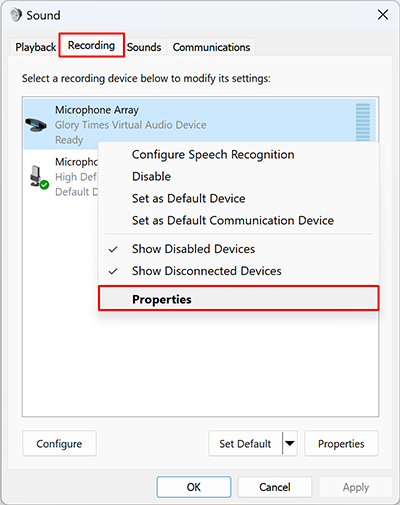
2. Open the "Recording" tab, right-click "Microphone Array (Glory Times Virtual Audio Device)," and choose "Properties."
3. Go to the "Listen" tab, check "Listen to this device," and click "OK."
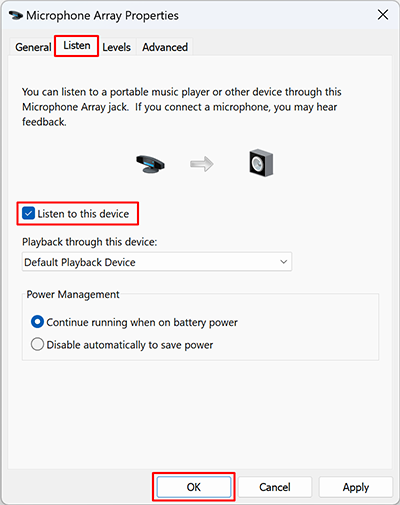
Note: You may hear audio feedback while testing. Be sure to uncheck "Listen to this device" after testing to avoid feedback..
Privacy Policy
Terms of Service
About
Site Map
Copyright© 2002-2026 ZGZSoft Inc. All rights reserved.